Create Custom Page Template
Page templates are used to set the header and footer, and in some cases, to add a page title without needing to create it separately on each individual page.
Here are a few simple steps to create a post template:
- Go to Pixe Settings
- Navigate to Templates
- Click on Templates
- Click Create Template
- Enter a Template Name
-
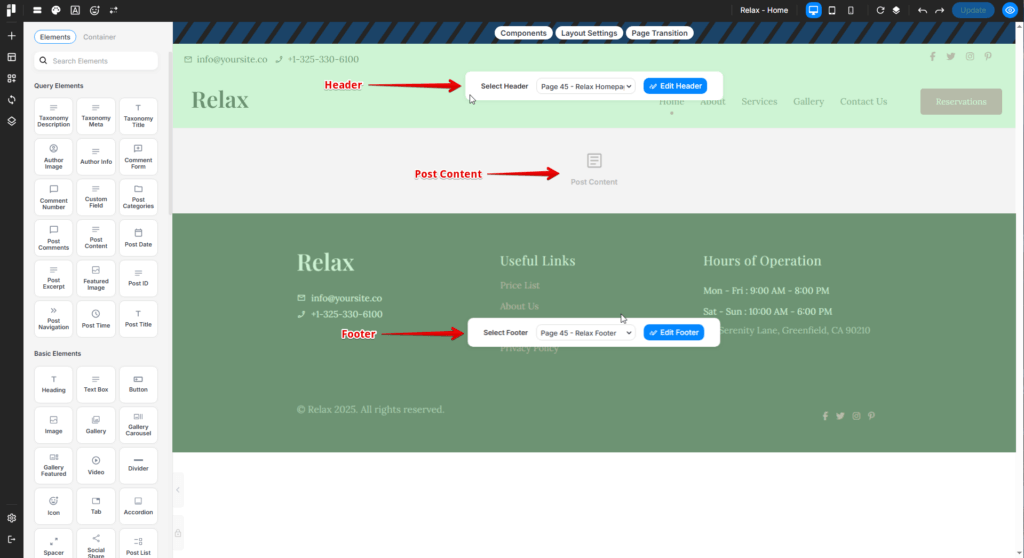
Design your custom page template (3 parts)
- Setup Header: https://docs.pixebuilder.com/header-builder/
- Setup Footer: https://docs.pixebuilder.com/footer-builder/
- Setup the Post Content element
Assign Templates
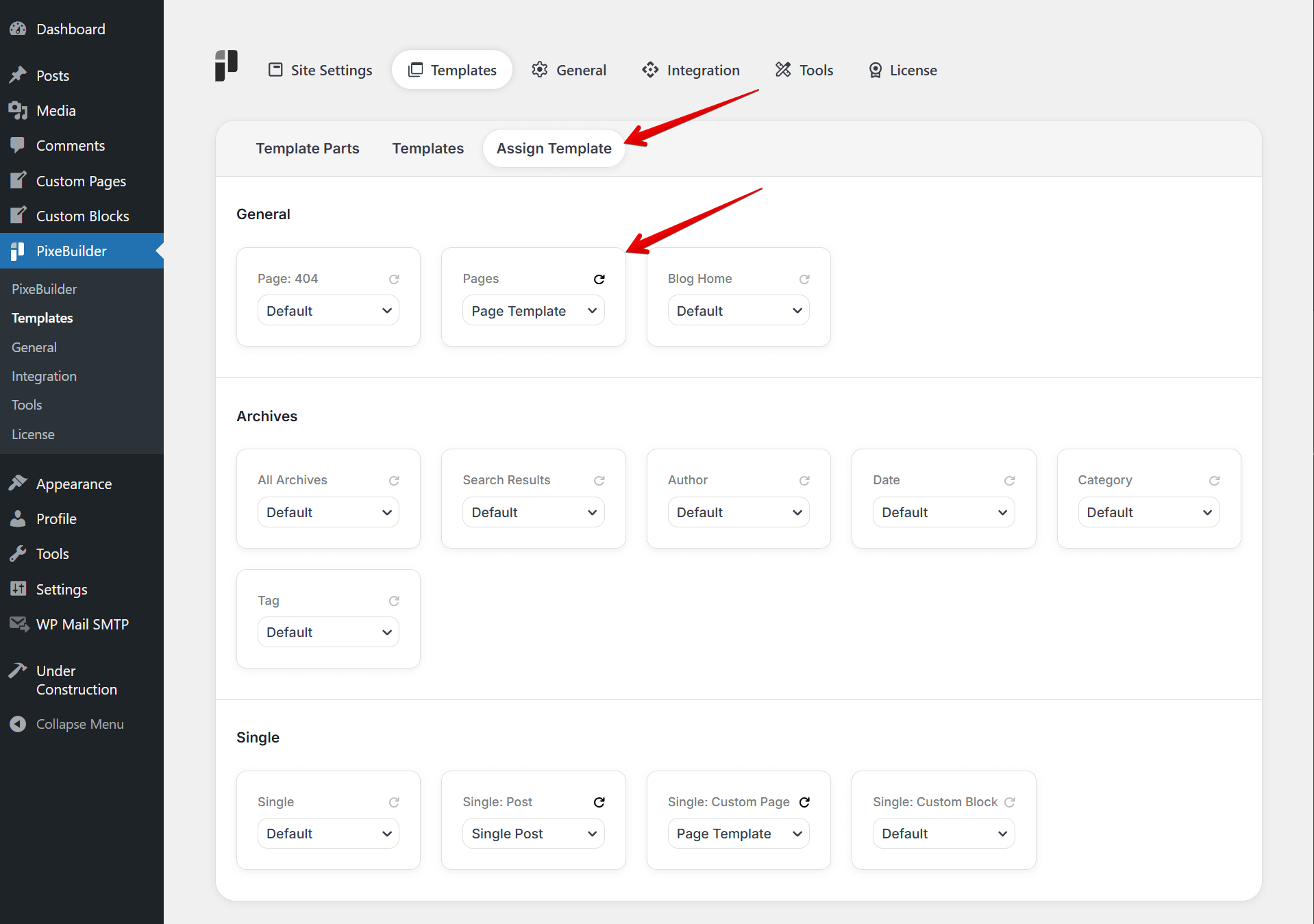
Here are a few simple steps to assign custom page template:
-
Go to Pixe Settings
-
Navigate to Templates
-
Click on Assign Templates
-
Under General > Pages, select the template you just created