
The Taxonomy Template feature in PixeBuilder allows you to design and save custom layouts for listing taxonomy items, such as Categories, Tags, and other custom taxonomies like Portfolio Categories. Similar to Post Templates, these allow you to create a reusable design that can be used within a Taxonomy List element to display your site's structure beautifully.
Create a Taxonomy Template
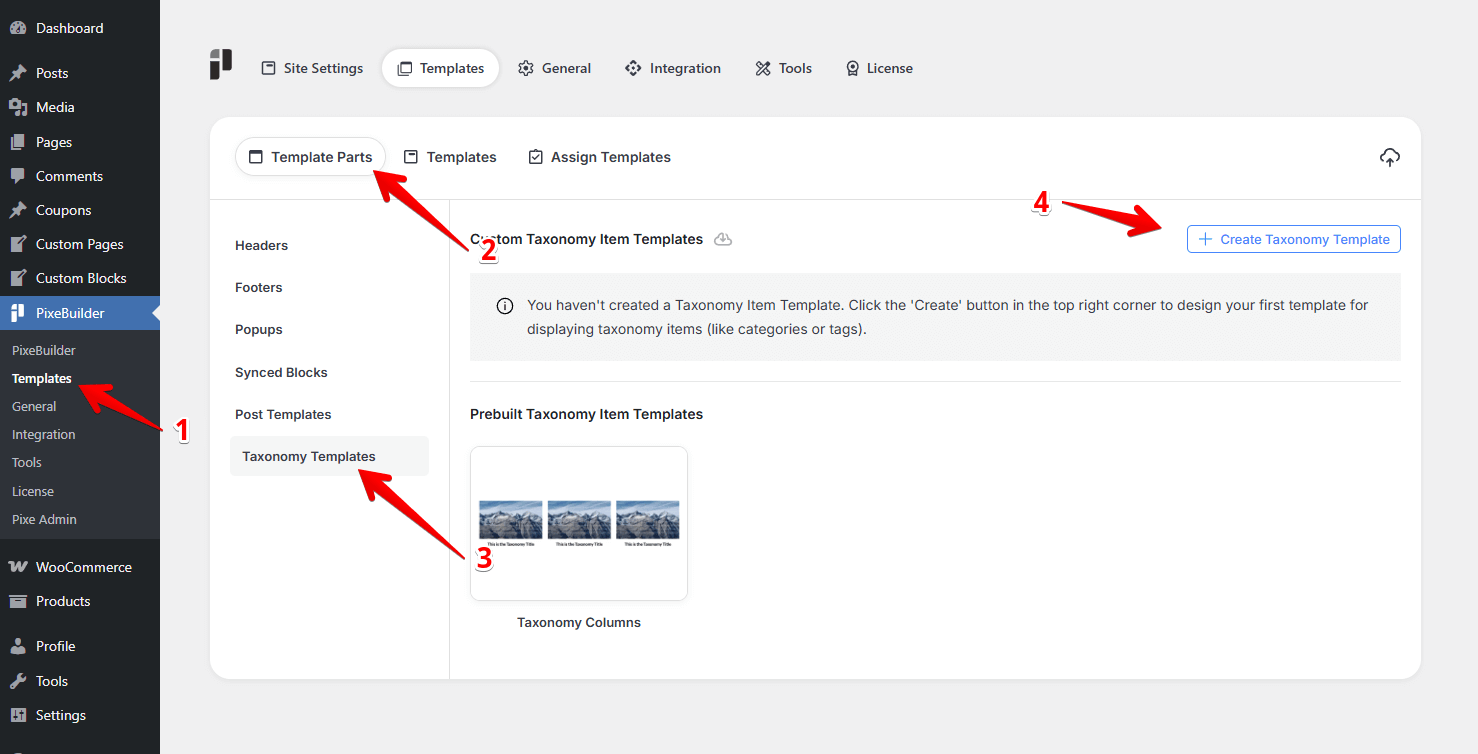
You can build a unique layout for your taxonomy items following these steps:
-
Navigate to PixeBuilder > Templates in your WordPress dashboard.
-
Click on the Template Parts tab.
-
Select Taxonomy Templates from the left sidebar.
-
Click the + Create Taxonomy Template button in the top right corner.
Taxonomy Template Type
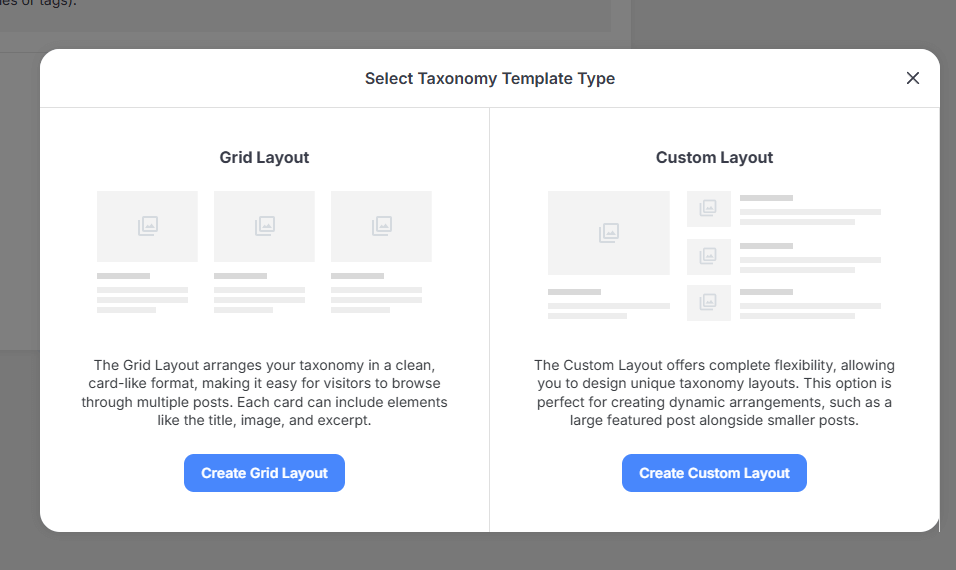
After clicking create, you will be presented with two layout options for your design:
-
Grid Layout: This option arranges your taxonomy items in a clean, card-like format. It makes it easy for visitors to browse through multiple items, and each card can include core elements like the title, image, and excerpt.
-
Custom Layout: This option offers complete flexibility, allowing you to design unique, asymmetrical, or complex taxonomy layouts. It is perfect for creating dynamic arrangements, such as a large featured category alongside smaller items.
Design and Appearance
Once your template is created, you can fine-tune its look using the PixeBuilder editor, just like you would with a Post Template.
-
Insert Elements: Add dynamic elements like Taxonomy Title and Taxonomy Meta to your template.
-
Styling: Use the left settings panel to adjust the typography, spacing, borders, and colors for each element to match your brand.
-
Responsive Design: Use the Device Toggle (Computer, Tablet, Phone) to scale your layout and ensure it looks perfect on all screen sizes.
Using Taxonomy Templates
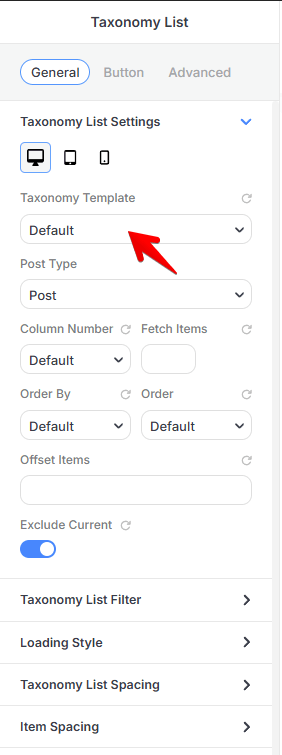
Taxonomy Templates are enabled within the Taxonomy List element:
-
Open the page where you want to list your taxonomies.
-
Add the Taxonomy List element to your layout.
-
In the element settings, select your newly designed Taxonomy Template to apply the layout to the list.