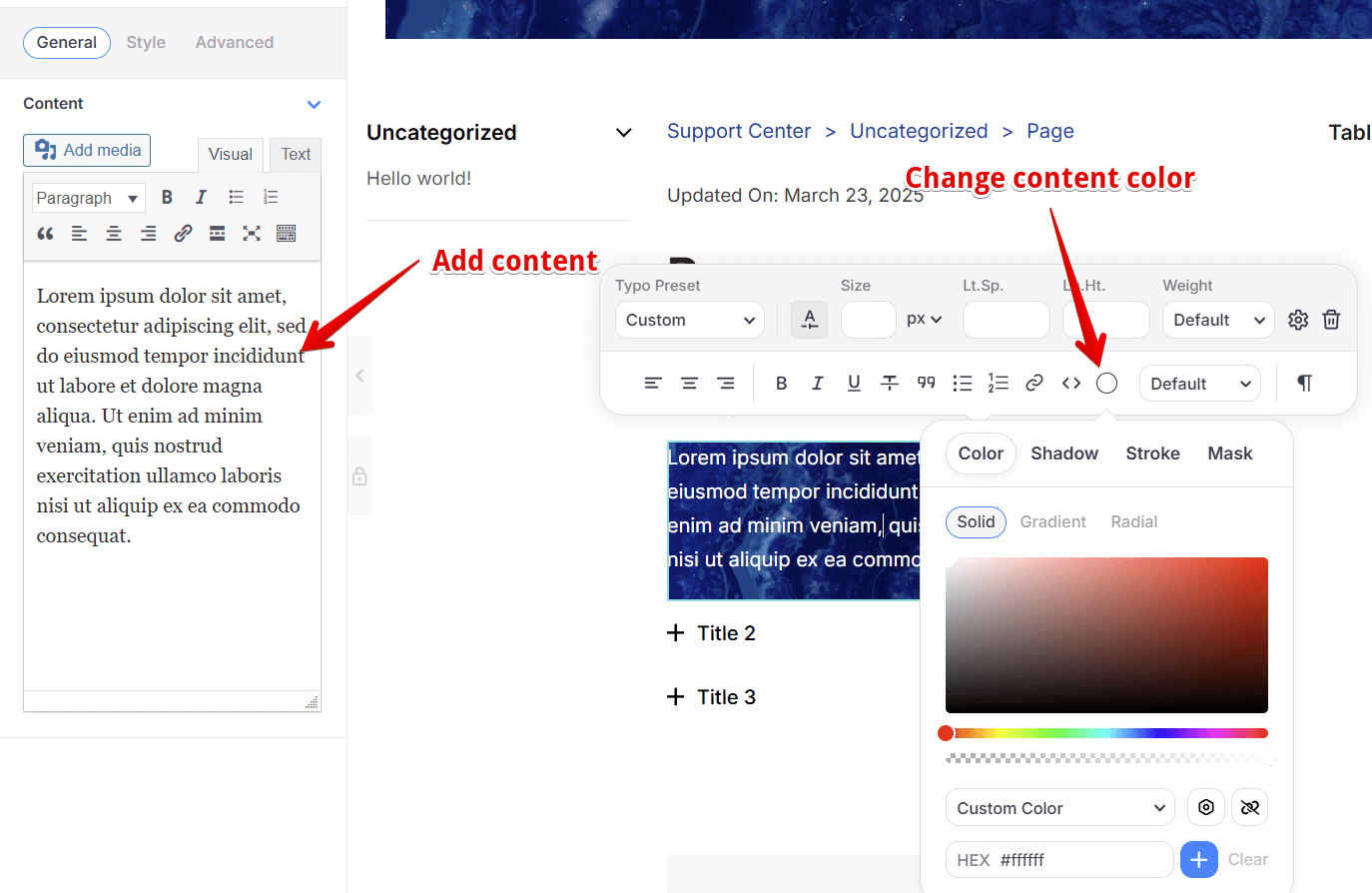
Accordion Usage:
Saves Space: They tuck away content so you can see more without a messy page.
Easy to Use: Click what you want, skip what you don’t, super simple browsing.
Great for Phones: Keeps things neat on small screens, no endless scrolling.
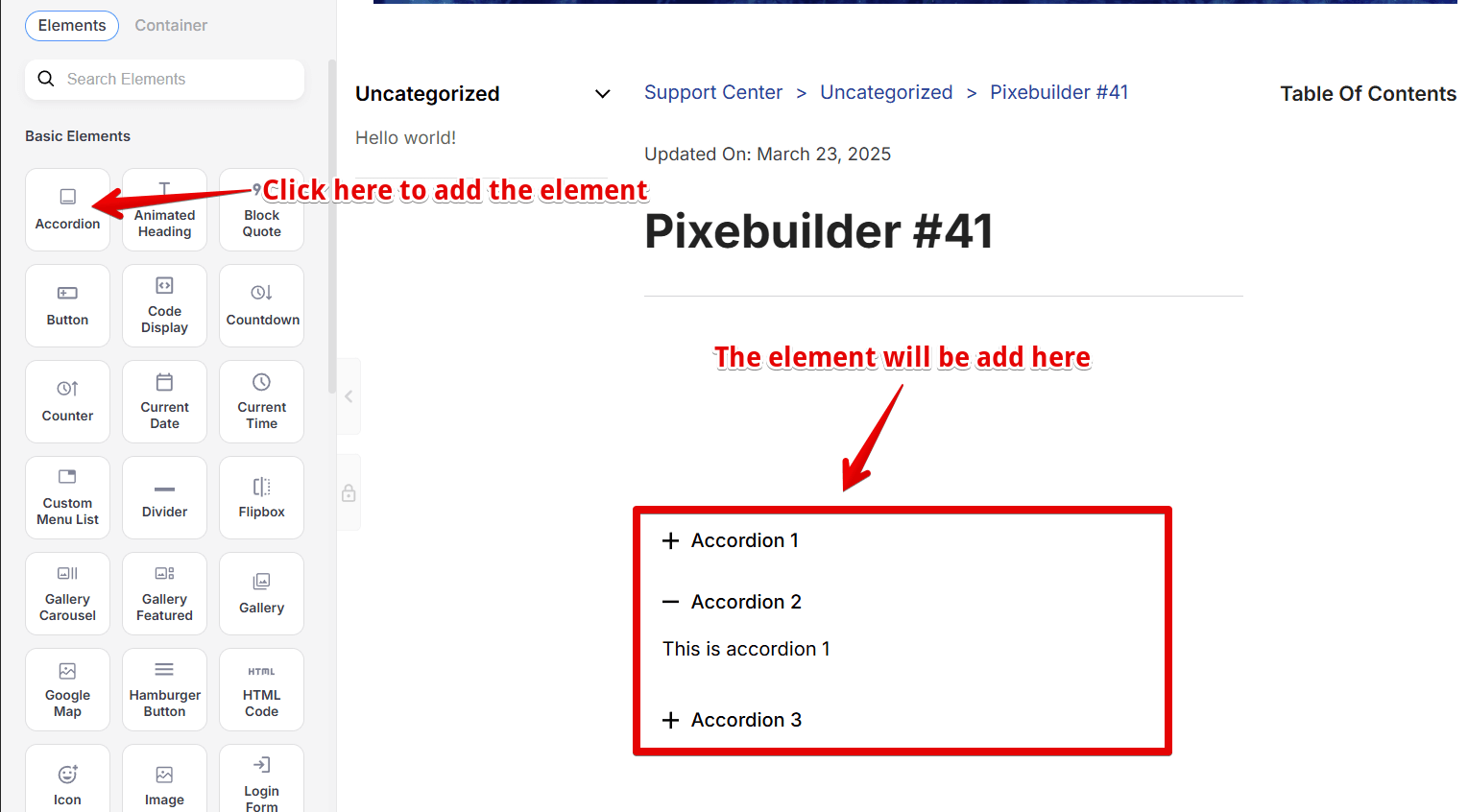
Add an Accordion widget: Step-by-step
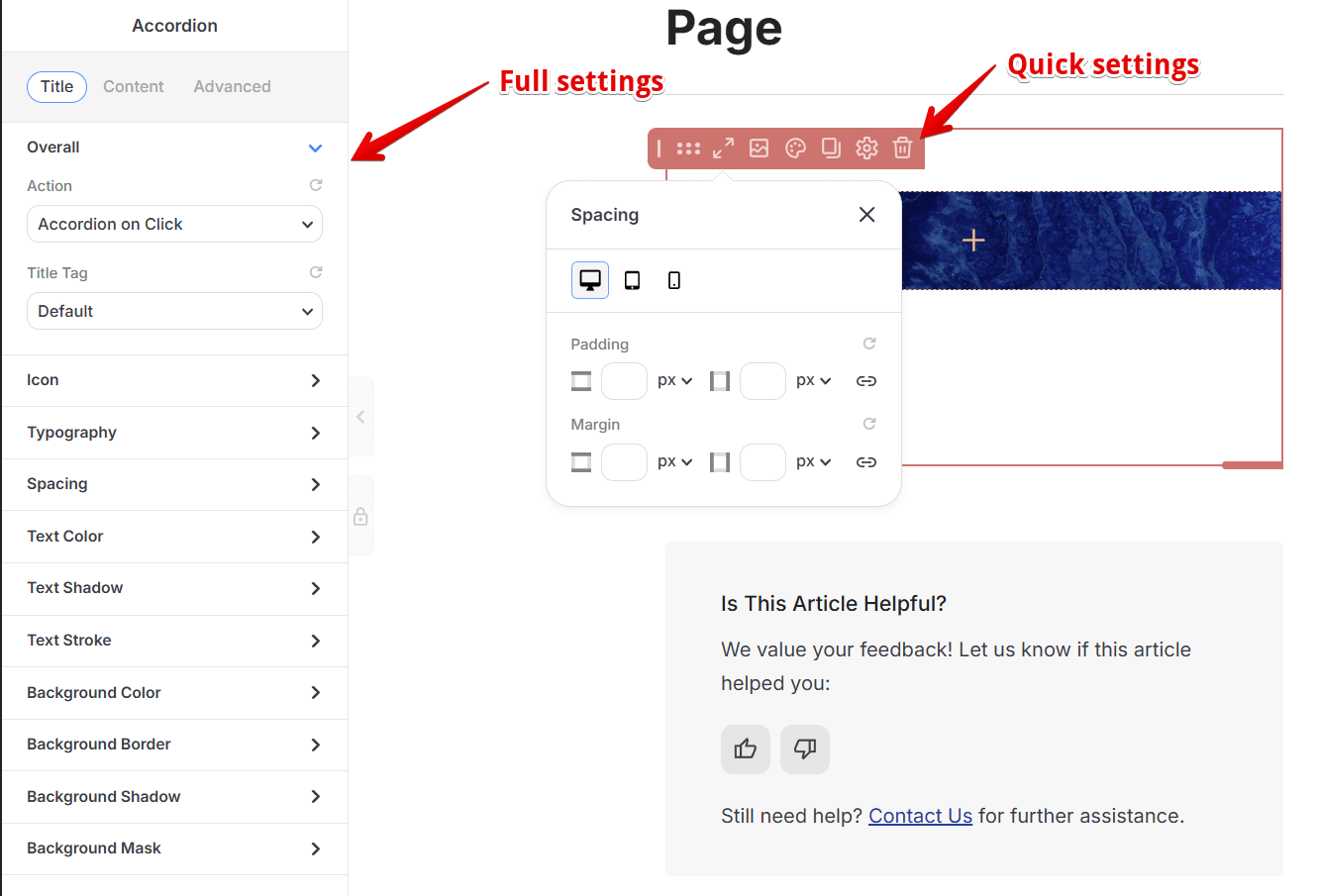
Accordion Settings
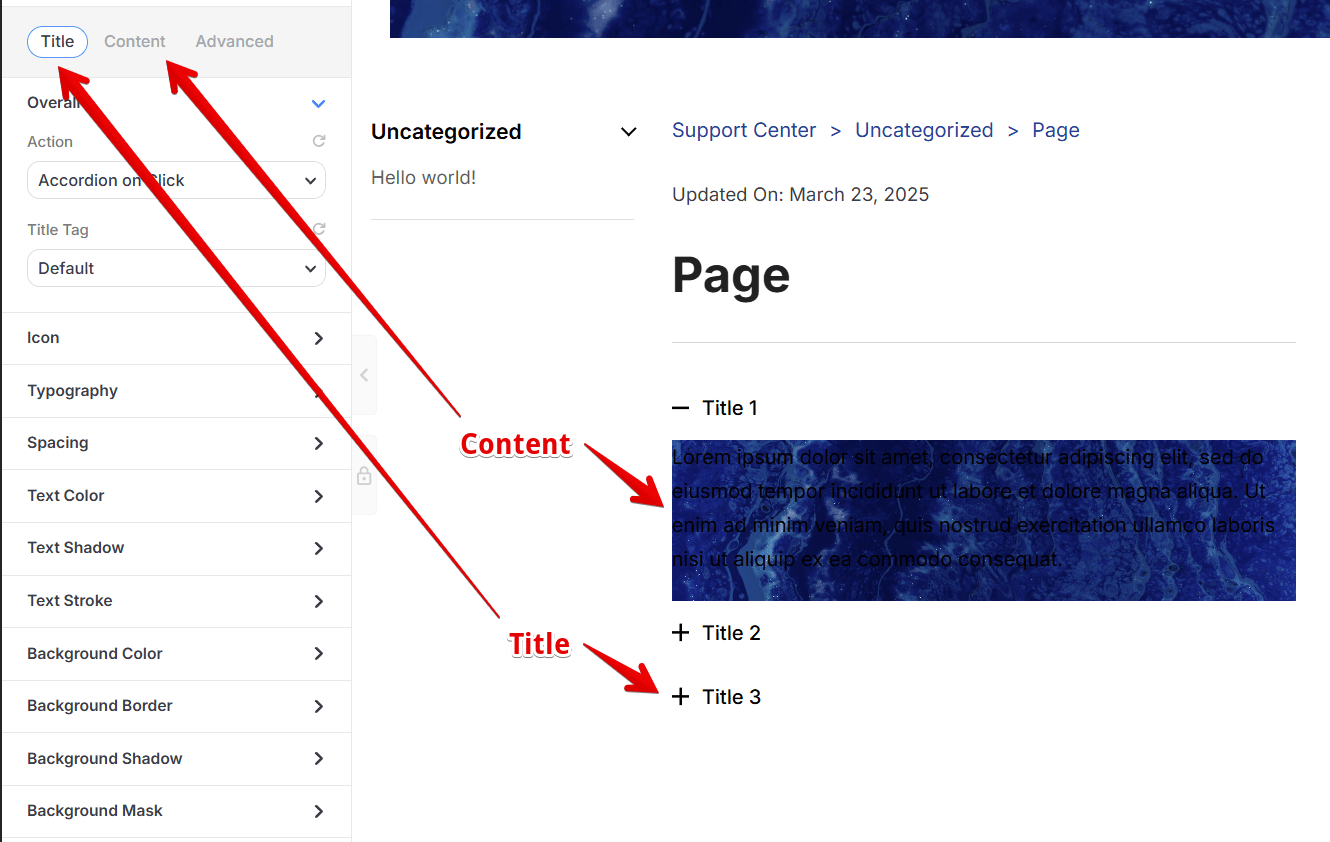
The setting will have two parts: Title Settings and Content Settings
Try to setup background image in accordion and add content